Tuesday, October 8, 2019

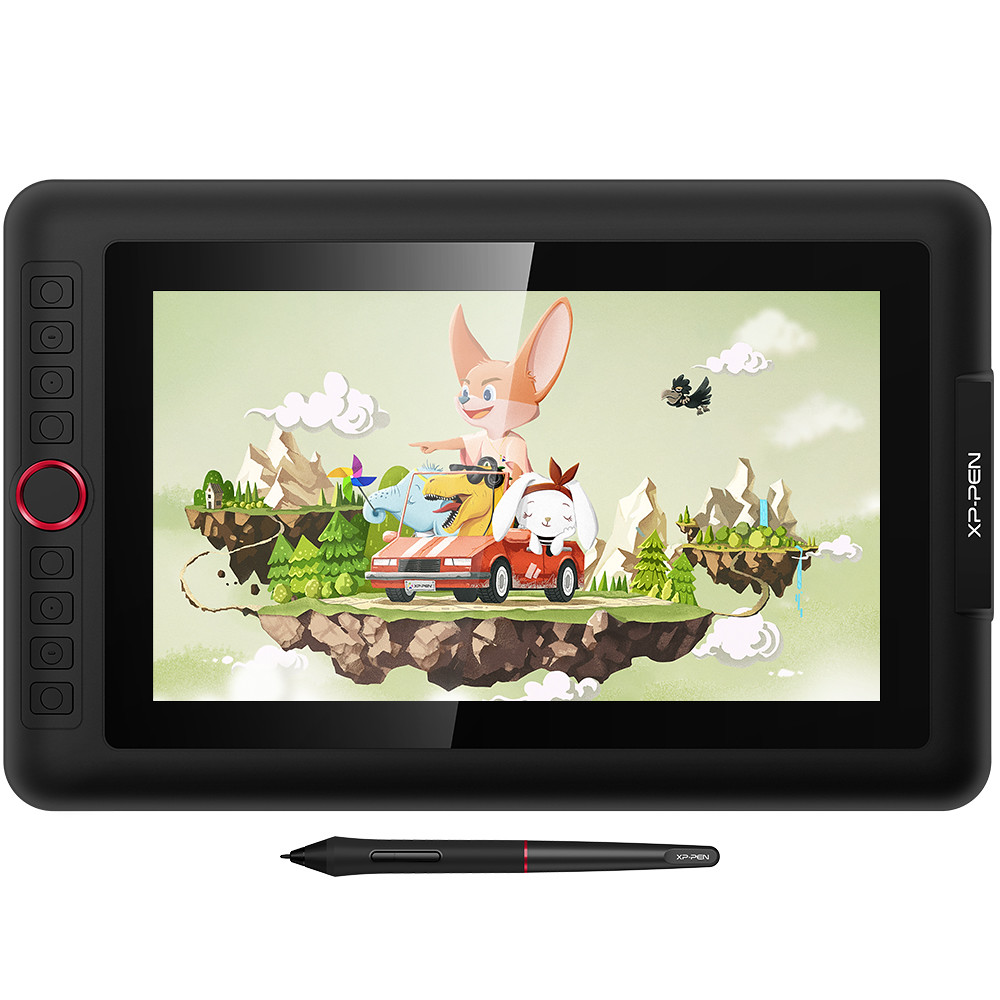
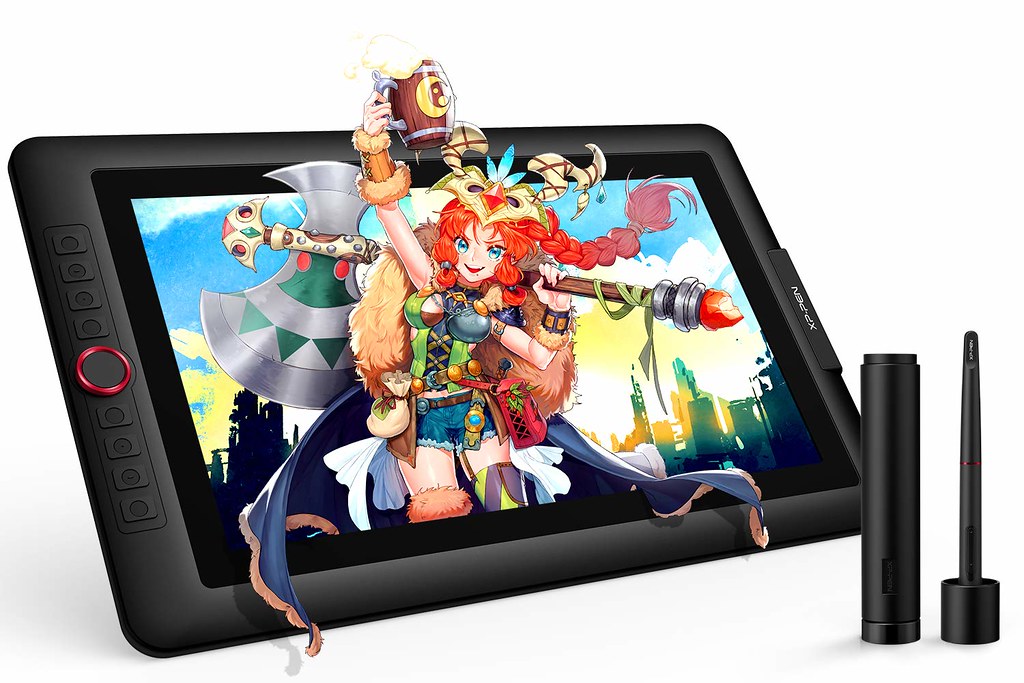
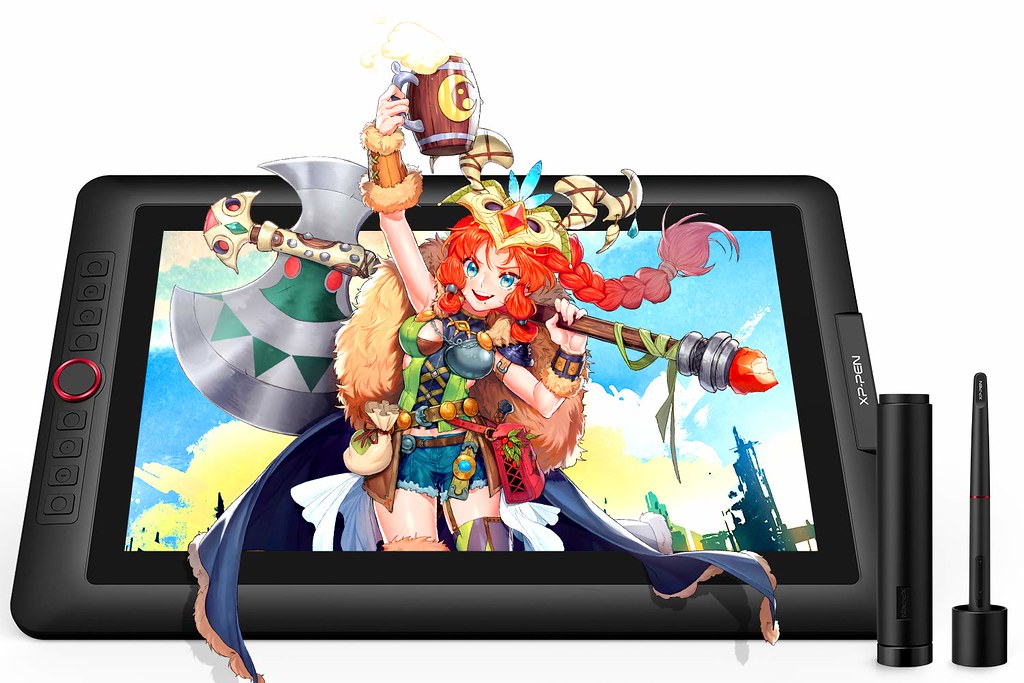
XP-Pen Artist 13.3 Pro 2019 laminated pen display Review : there's much for digital artists and designers to love


I've been using an Intuos (using a Pro M now) for around six years, It was a model that didn't have a display screen. and I've been using the iPad Pro+pencil combination for a little over a year. I do 2d digital art semi-professionally, mostly involving linework/comics. The software I use (Clip Studio Paint) is available both on Windows and IOS.
The best thing about a pen display is drawing directly on the screen. It's easier to be accurate and you don't have to develop the hand-eye coordination of looking at a screen vs where your hand is. Besides that, there's basically no difference, as long as you have a good monitor.
Wacom is expensive and they can justify their prices by having market dominance in the drawing tablet and monitor industry, but other brands have released products that work just as good for a lot less.
Wacom is the industry standard, so you pay a premium for a premium product that all the professionals use. But after reading and watching reviews of the other tablet brands, I decided to buy XP-PEN Artist 13.3 Pro because it was my first drawing monitor purchase and it was only a little over $300. Other than its small screen, I really have nothing bad to say about it and I enjoy drawing on it.
I've had the XP-PEN Artist13.3 Pro since August and I absolutely love it. The display is big and beautiful and there's no lag. The screen feels great to draw on. Not exactly "like paper" as some have said, but it definitely feels nice. Nice glide but with just enough resistance to feel like an authentic drawing experience.
It's super good, every version gets amazingly better, it's also very large, great for animating and painting for 1/3rd the price of a Cintiq.
First Impressions

The product arrived on time.The packaging was pretty impressive .
The box was very well, I loved the packaging it has a beautiful and very firm and strong box so in case you are shipping it far away rest assure the package is well protected.
The overall build quality is solid. Edges are all rounded off. It actually looks quite good.
XP-Pen Artist13.3 Pro is one of the most affordable Cintiq alternatives out there, price-wise. It’s really a good choice if you’re cash-strapped, as long as you don’t mind drawing on a smaller screen.
Specifications:
Product dimensions: 39 x 25 x 1.4cm
Active area: 29.3 x 16.5cm
Screen: 13.3 inches with 1920 x 1080 resolution
Panel type: IPS
Colors: 16.7 million
Input: USB-C
Graphic ports supported: HDMI, miniDisplay
Pen does not require battery
Stand : Included
Visual Angle:178°
Pressure sensitivity: 8,192 levels + 60° tilt
Display Color Gamut: 88% NTSC , Adobe® RGB≧91%,sRGB≧123%
Artist 13.3 Pro official site : https://www.xp-pen.com/product/464.html
Package Contents :
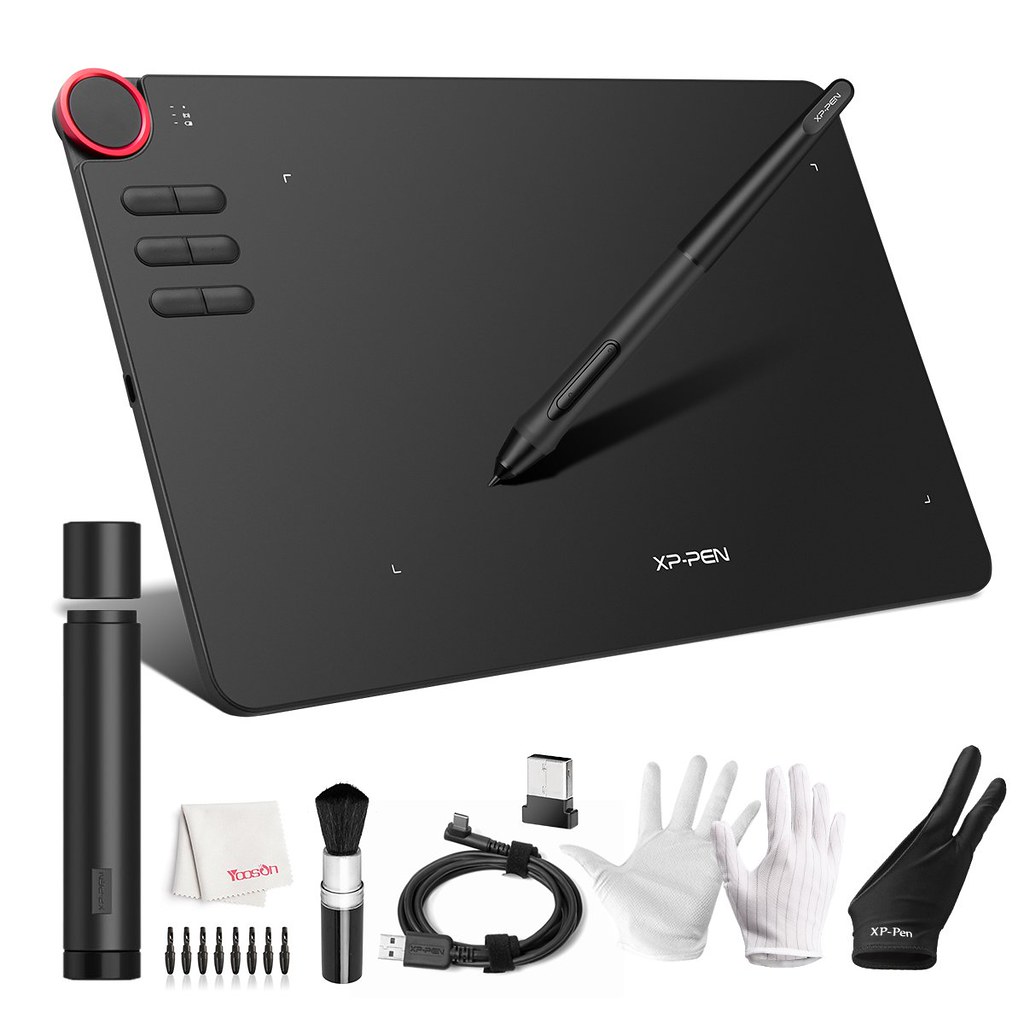
XP-Pen Artist13.3 Pro tablet
HDMI/Power/USB all-in-one cable
USB extension cable
HDMI to miniDisplay adapter
Pen and stand
8 replacement nibs
Wall charger and various international plugs
Manual, warranty card, cleaning cloth and glove

The packaging box features a very simple clean design. With this box, you lift up the cover to reveal the pen display and all the things included.
The fully-laminated Screen

When you first open up the box, the screen has a protector film over it which has to be peel off to reveal the matte screen protector. It’s a nice texture to draw on.
On XP-Pen Artist13.3’s screen there’s a screen protector that adds texture to the screen. The purpose for this texture is to add friction while you draw, and to hopefully make it similar to drawing on paper. also it can reduces glare and also protects the glass in the long run from scratches.
Calibration on the tablet is decent and does stray a bit towards the edges, but not so bad to ruin the drawing experience. I recommend calibrating the tablet before you draw if you are moving the tablet around.
XP-Pen Artist13.3 Pro comes with a 13.3-inch screen, which provides you with a decent drawing area (the active drawing area is 293.76 X 165.24 mm). the tablet used an IPS panel so colour reproduction is quite decent. Some one will think this is small draw area, but you could get used to it if this is your first pen display, or if you want a portable one to take with you on the go.
This 13.3 inch pen display supports a 1920 x 1080 resolution. For a screen this size, which isn’t too big, everything appears sharp.
The colors are on point with 120% sRGB color space support in XP-Pen Artist 13.3 Pro , The viewing angles in this display are really good and you would notice no color shift or rainbow effect when looking off the axis. The display of tablet is sufficiently bright and you can easily use them in bright indoor environments.
XP-Pen Artist 13.3 Pro comes with a fully-laminated display. It results in better image quality with more vibrant colors.
In older displays ( artist 13.3 V2 ) when you draw on the tablet there is a small gap between where the strokes appear and the point where the stylus is actually touching the display surface. This is called parallax.
This small gap affects the drawing experience and makes you feel disconnected from what you are drawing.
One of the biggest advantages of laminated displays is that – they reduce parallax and the strokes appear exactly where you draw them on the screen.
The stylus support pressure and tilt
XP-Pen Artist13.3 Pro comes with a passive pen. The pen supports 8,192 levels of pressure sensitivity and ±60° of tilt support . It does not use battery so it does not need to be charged.it has two side buttons but no eraser.
The front end of the stylus is made of rubbery silicone material that helps with a comfortable grip. The Stylus has the maximum width near the pen tip which slowly tapers off towards the back.
Weight distribution and balance are also optimized for better drawing performance and more control over the stylus. The pen is tip heavy which feels comfortable while drawing.
The pen comes with a pen holder to store it away while not in use. Inside the pen holder, you can find 8 replacement nibs.
Replacing the pen nib is something you ought to do when the current nib become pointy.
Anyone can learn to add tilt into their work space though and it can become another modifier when drawing. For instance maybe you want pressure to adjust opacity not size, and you want tilt to adjust size not opacity. This would be like how a real pencil works. Pressing harder doesn't make a pencil line bigger it just makes it darker. But tilting the pencil does make the line wider.
People who like to do digital painting may also find tilt useful as the hairs of a brush can be simulated in programs like Corel Painter where the shape of the digital brush changes with angle just like a real paint brush which can be spread out when pushed into the canvas, or thin lines if gently brushed, or thick lines if tilted.
I am an airbrush and pencil/charcoal person in real life and especially when doing digital airbrushing the tilt is important because many of the most basic airbrush strokes, dagger lines, etc all depend on the distance from the surface and the angle and direction the needle is pointing. I could never reproduce my airbrush techniques digitally until tilt and rotation was added. I use my Artist 13.3 Pro when I need those effects.
XP-Pen is a popular brand and they have a lot of experience with making graphics tablets and it shows in their products.
The stylus performs good, totally on par with what you would expect from a premium tablet. The strokes are accurate with no signs of pen jitter or wavy lines. There are no issues of inconsistency or ghost strokes appearing. These pens have well-calibrated and smooth pressure curves with no weird pressure bump issues.
8 Hot Keys and 1 red Multipurpose Dial
XP-Pen Artist13.3 Pro comes with 8 hot keys. Out of which 7 buttons can be used for the shortcut . You could customize these keys to do all sorts of the shortcuts you do on your art program. For example, you could set one of the keys to switch to the selection tool(assuming you use it a lot), while having another one to activate a certain filter. The possibilities are high.
Buttons of the tablet is easy to press and have a satisfying click to it. the buttons are marked with raised dots to easily identify them without looking.
Multipurpose shortcut buttons are great as they allow you to perform multiple shortcuts with a single button.
the Artist 13.3 Pro has a freely rotating dial as their multi-shortcut button. It also has the same shortcuts like changing the size of brush and erasers, pan, zoom, and scroll. You can switch between these modes with the help of the mode switcher button. The roller makes a clicking sound after every 15° of rotation which adds a nice touch.
How to connect the tablet to the computer

The XP-Pen Artist 13.3 Pro is not standalone device and need to be connected to a computer.
The tablet comes with a hybrid 3 in 1 cable. The cable has a USB Type-C connector at one end and an HDMI port, Full-size USB and a power connector at the other end.
For connecting your tablet to the computer, first, you need to connect the single USB Type-C cable to the tablet. Next, connect the HDMI and Full-size USB cable to your computer and the power cable to the Power adapter. After that install, the driver and you are ready to go.
Some of the newer generations of laptops do not have an HDMI and full-size USB port. In that case, you can get a USB hub . It has all the ports you need for connecting your tablet.
The Driver and tablet settings
A driver is a software that helps the computer to understand pen and tablet data. The instructions for installing and setting up the drivers & controls were on the xp-pen official website and super clear .
Before you get to install the driver, it’s important you remember to uninstall any graphics tablet driver on your computer, either from Wacom or another manufacturer.
With the driver, you can change the pressure sensitivity, assign functions to the side and physical shortcut buttons and switch to left-handed mode if you want to. Some of the other settings include adjusting the color, contrast, brightness of the tablet and creating application-specific shortcuts.
It is very easy to install and I love the way everything looks and feels. I use both photoshop, paint sai, and clip studio and this tablet works great for all of those programs.
Drawing performance

Most of the functions such as sketch, paint, design and edit can be executed directly from the tablet screen, work naturally and intuitively.
There’s this inconsistency or the challenge of maintaining a consistently smooth line when drawing curves. When you’re testing for it, it’s going to show up, but when actually drawing with it, it’s not that big of an issue. Out of all the apps, Clip Studio Paint works perfectly without any of the wobble or stroke issues.
Enjoy Every Detail Artist13.3 pro driver can support 4K displays, allowing you enjoy every sharp detail and every soft line. The newest brightness adjustable buttons help you to find the most suitable lightness, offering you an comfortable drawing experience.
If you’re using Windows, the performance of the pen is better than on Mac. You get nicer looking lines.

Pros
- Good build quality and design
- Pen does not require battery
- 8 shortcut buttons are useful
- Smooth lines, no wonkiness at all!
- The lighting and color display matched my monitor
- No brightness issues
- All the shortcuts worked well
- The 13” screen is nice and there was no display compression , Screen has decent colour accuracy and viewing angles
- Pressure worked well and coloring my art was nice with the slant you can do with the pen
- Price is very competitive on this size , Great for art hobbyists!
Cons
- Matte screen protecter affects sharpness of the screen
- the bezels are huge!
Neutral
- The bigger sized models of these are probably better if you’re an artist so you can have more space to work with.
- If you use a small laptop, you may not have enough usb slots for all the cables you need to hook up for the tablet so this works better on a bigger laptop/desktop.
- Of course, you need to configure your pen settings and stability settings for your satisfaction with the tablet output.
Summary
It’s a great little drawing tablet! Full support for Windows 10, I definitely recommend this tablet to artists who cannot afford the Wacom price.
For anyone that wants one of those fancy Wacom Cintiqs but can’t afford one, this tablet might be a great alternative!
Warm Reminder: the drawing tablet could draw power from USB port, as that could mean the ability to use it on the go more easily than other pen displays.
XP-Pen Artist 13.3 Pro comes with a very basic tablet stand which is made of plastic. It has a single adjustable angle of 20 degrees.
If you want to buy this XP-Pen Artist 13.3 Pro graphic tablet monitor , check out the link blow
official store : https://www.storexppen.com/buy/artist-13-pro.html
amazon US : https://www.amazon.com/XP-PEN-Artist13-3-Full-Laminated-Graphics-Function/dp/B07VPHR6GD

Monday, August 19, 2019

Digital Art Tablet XP-Pen celebrate 14th anniversary with great Deals Coupons Discount Sale

If you’re a graphic designer, illustrator, or digital artist you’ll know that a drawing tablet can boost your creativity and streamline your workflow.
Their ability to turn hand drawings into accurate digital representations is enough to tempt beginners and seasoned professionals away from traditional pencil and paper, and as the trend grows so do the number of options for drawing tablets available on the market.
If you have ever use a drawing tablet , you should know XP-Pen brand , XP-Pen is one of the most popular brands in drawing tablets Market . While XP-Pen Graphics tablets consistently rank alongside the best drawing tablets in terms of quality and functionality, they also tend to be available at fantastically competitive prices. This makes them a great option for ambitious creatives working to tight budgets .

About XP-Pen
XP-Pen is founded in Japan in 2005, it specializes in graphics tablets, pen display monitors, light pads, stylus pens and digital graphical products. In 2008 they established an office in Taiwan. In 2013, XP-Pen Technology Co. was founded in the United States. In 2015 they opened their office in Shenzhen, China.
XP-Pen is a professional and reliable supplier of graphics tablets, pen display monitors, stylus pens and more digital graphical products. They strive to enable young artists to realize their full digital potential by pushing the limits of tablet technology.
More details you can visit their official site > https://www.xp-pen.com
XP-Pen Anniversary Sale
To celebrate the company's 14th anniversary, XP-Pen is running a huge sales event on a wide lineup of Graphics Tablets and Drawing Monitors .
XP-Pen Anniversary Sale 2019 dates are August 16 to September 15. you can get Big Savings for Huge Selection . Anyone who buys any product from XP-Pen will have a chance to win a pixiv Premium Account (valued at $16) for free for 3 months. also you can get free creative software Artrage Lite or Artrage 5 , openCanvas , learn more you can visit XP-Pen 14th Anniversary activity Page - https://www.storexppen.com/topic/14.html .
As part of its anniversary celebration, XP-Pen offers up to $100 discount on select drawing tablets. This includes popular machines like the XP-Pen Deco 01 , XP-Pen Artist 15.6 Pro , and XPPEN's newest Artist 12 Pro Tablet Monitor .
Save with amazing Deals and Free Shipping when you buy now online. Get best deals when you shop on XP-Pen official store . this Anniversary Sale activity is Globally , just select your country or region from the top of the page .
If you see a XP-Pen tablet you like at a price to suit your budget, be sure to pick it up quickly. The best XP-Pen deals are selling out quickly, especially because graphics tablets discounts are some of the most hotly anticipated deals.
Latest XP-Pen Anniversary Sale deals Products
30% off XP-Pen Artist 12 Pro Graphic monitor

Tilt Function Battery-free Stylus - Comes with 8192 levels of pen pressure, battery-free pen provides a more accurate and natural drawing experience; Plus with ±60 degrees of natural tilt recognition, you will have much more fun when drawing. (An plastic stand is included).
8 Press Keys and 1 Red Roller Wheel - With 13.3 Inches IPS screen, not only save your time but also enhance your productivity.
120% sRGB Color Gamut - Comes with more than 200 PPS Report Rate, you can have better performance and quicker response when working on the pen display; The drawing monitor cannot only provide users with a wider field of view, but also offering richer colors and more natural transition.
Full-laminated Anti-glare Glass - Thanks to the full-laminated screen technology, the stroke you drew is accurate and natural, and almost without offset; Besides, the screen surface is covered with anti-glare glass, effectively reducing the "glare" effect and providing better protection for your eyesight.
Compatibility - XP-Pen Artist 12 Pro is compatible with Windows 7 or later and Mac OS 10.10 or later; It is also compatible with mainstream software like Adobe Photoshop, Clip Studio, Paint Tool Sai and more; XP-Pen provides one year warranty.
20% off XP-Pen Artist15.6 Pro Drawing Tablet With Screen

A more affordable pen Display with XP-Pen advanced technology, 8,192 pressure levels and tilt recognition.
It's amazing precision and reduced Parallax ( Because of the full-laminated screen technology ) provide the most natural drawing experience .
XP-Pen’s 15.6” 1920x1080 HD display provides you with clarity to see every detail of your work.
See your creations in vibrant color on the Artist 15.6 Pro’s HD display (16.7 million colors Bit, 88 percentage NTSC ). Work as long as you'd like with the battery free pen that charges off the screen while you create .
XP-Pen Artist 15.6 Pro features 8 fully customizable shortcut keys and 1 innovative Red Dial , puts more customization options at your fingertips, and allows you to optimize your workflow to capture and express your ideas faster and more easily .
Connect to your computer with the convenient 3 in 1 (HDMI) connection cable and get into the perfect position with foldable legs that let you adjust how you want to work. Brightness 250 cd/m2 .
XP-Pen Artist13.3 Pro come with a colorable mascot gift worth for $59.99

The Artist 13.3 Pro Pen Display from XP-Pen is designed for casual artists and professionals alike who want a medium-sized drawing tablet.
Measuring 13.3", its display has a 1920 x 1080 Full HD resolution for clear details as well as an anti-glare coating with reduced parallax to help minimize distractions and replicate a pen-to-paper-like feel. Specs-wise, its display has a 250 cd/m² brightness rating, a 1000:1 static contrast ratio, wide 178° viewing angles, and support for up to 16.7 million colors with 88% NTSC color coverage.
Apart from the tablet, the Artist 13.3 Pro comes with a battery-free stylus , 8192 pressure levels sensitivity. Furthermore, there's virtually no lag or batteries and recharging required. With tilt support, you'll be able to draw naturally as you would with a pencil or brush.
Aside from the Stylus , a set of accessories are included such as a pen holder, replacement nibs, and a nib removal tool. For a more comfortable drawing experience, the Artist 13.3 Pro come with foldable built-in Stand.
For additional features and functionality, you can use 8 ExpressKey and 1 red dial to help boost your productivity.
20% off XP-Pen Artist15.6 best Budget Screen Drawing Tablet

The XP-Pen Artist 15.6 Drawing Tablet monitor features the P05 Stylus which uses Electro Magnetic Resonance technology to draw the power it needs from the tablet so it does not require a battery.
Features 8,192 levels of pressure sensitivity and a low activation force, enabling it to detect even very light pen strokes.
Full 1920 x 1080 HD display , 16.7 million colors and 75% Adobe RGB .
11mm thin design, 3 in 1 cable, and a new brightness adjustment button.
6 express keys available to be customized according to your own needs.
Compatible with Most Operating Systems and Applications
Adobe suite (Illustrator, Photoshop, Lightroom), Autodesk Sketchbook, Paint Tool SAI, ArtRage, Krita, Artweaver, Rebelle, Clip Studio Paint., Corel suite (Painter, Draw, Paintshop Pro),
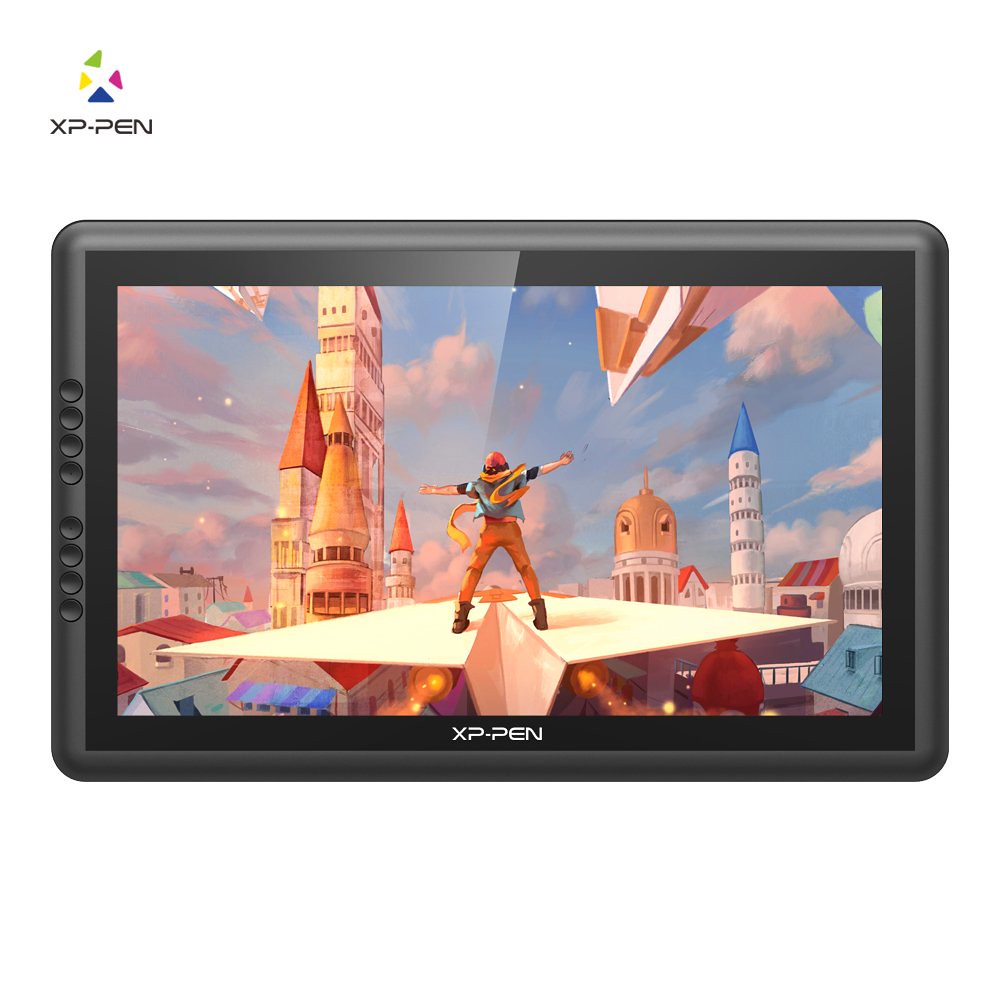
17% off XP-Pen Artist 16 Pro display drawing tablet

15.6 inch 1920x1080 resolution IPS 16:9 Display with 178° degree of visual angle .
It is made with a 92% Adobe RGB color gamut, which is obviously necessary for high-quality animation and photographic retouching. Plus,
Battery-free stylus technology provides 8192 levels of instant pen pressure sensitivity.
8 fully customizable express keys create a highly ergonomic and convenient work platform.
Enjoy the high quality glass design , allow users to sketch, paint, design and edit photos directly from the drawing tablet screen.
Find a perfect and comfortable position with the adjustable stand by dragging the switch to create your work.
20% off XP-Pen Artist 22E Pro Graphic Tablet Monitor

The XP-Pen Artist 22E Pro is the upgraded version of the Artist 22E , including a large amount of programmable express keys on both sides .
21.5 inch Full HD screen with 1920x1080 resolution, color gamut 78%~82% Adobe RGB , full viewing angle of 178 degrees .
8 programmable Express Keys per side. More ease of use and comfort, faster workflow with easy access to frequently used shortcuts.
P02S digital pen with 8192 pressure levels, rechargeable, no tilt sensitivity .
5080 LPI and 233 PPS report rate (good figures to avoid broken lines and delays while drawing) .
Adjustable multi-position stand, allows inclination of the screen from 20 to 80 degrees .
10% off XP-Pen Artist 22 Pro Pen Display Tablet

The XP-Pen Artist 22 Pro is a professional level 21.5 inch Full HD graphics tablet. It is part of XPPEN's high-end range and it is designed to meet the most demanding expectations.
21.5-inch Full HD screen (1920 x 1080 pixels). The screen surface is huge, it's like drawing directly on a computer screen.
P02S rechargeable digital stylus with 8192 pressure levels (it gets recharged with a USB cable)
It features a multi-position stand that allows you to tilting the screen .
This is a high quality graphics tablet with screen for drawing, graphic design, 3D or any other creative endeavour.
5% off XP-Pen Artist 12 portablet Drawing Monitor

11.6 inch, Full HD drawing monitor with 1920x1080 resolution, colour gamut 72% NTSC, 178 degree full viewing angle.
5080 LPI and 233 PPS report rate (a good figure to avoid broken lines and delays while drawing) .
New P06 battery-free stylus, completely battery-free, 8192 pressure levels but without tilt function support. has 2 express keys on the digital stylus.
6 programmable shortcut keys and a touch bar (useful for zooming and moving around the work area), on the left side (good for left-handed use simply by turning the tablet around) .
Good value for money. A very good set of specs for a very decent price, makes this tablet the top of the list when it comes to quality-price ratio.
20% off XP-Pen Deco Pro Android Digital Drawing Tablet

New pen technology supports 8192 levels of pressure sensitivity, tilt-response and virtually lag-free tracking.
Large size is a super-slim tablet design with a more larger active area than previous models (11” x 6” Medium or 9" x 5" Small ) .
XP-Pen Deco Pro graphic tablet features 8 Customizable Express Keys and double wheel design .
System Requirements: USB port, Windows® 7 or later (64bit). Mac OS 10.10 or later,
Internet connection to download driver and Software.
20% off XP-Pen Deco 01 V2 Android Graphic Tablet Support Tilt function

Every stroke you draw on the XP-Pen Deco 01 V2 tablet can be precisely and originally recorded by pen and tablet and immediately display on your computer screen. 10" x 6.25" large working area .
8 Customizable Express Keys set individual shortcut way to skip tedious typing and clicking time and improve efficiency.
8192 Levels Pressure Sensitivity, ±60 degrees Tilt function support , 5080 LPI Resolution, ≧ 200 PPS Report Rate, providing professional drawing experience.
OS Compatibility: Compatible with Android 6.0 , Windows 7/8/8.1/10 and Mac OS 10.8.0 or above.
Works with major programs like Adobe Photoshop, SAI, Illustrator, Clip Studio, Krita, CorelPainter, Manga Studio and more.
20% off XP-Pen Deco 01 Animation Tablet

The XP-Pen Deco 01 Graphic Drawing Tablet features a large 10 x 6.25-inch work area.
Features a 5080 lines per inch (LPI) drawing resolution, a 266 RPS report rate, and 8192 levels of pressure sensitivity.
Eight user assignable Express Keys on the left side of the drawing area.
The Express Keys can be assigned to input specific keystroke combinations, launch applications, open web pages, send email, or to emulate a specific mouse function (e.g., left-click of the stylus ).
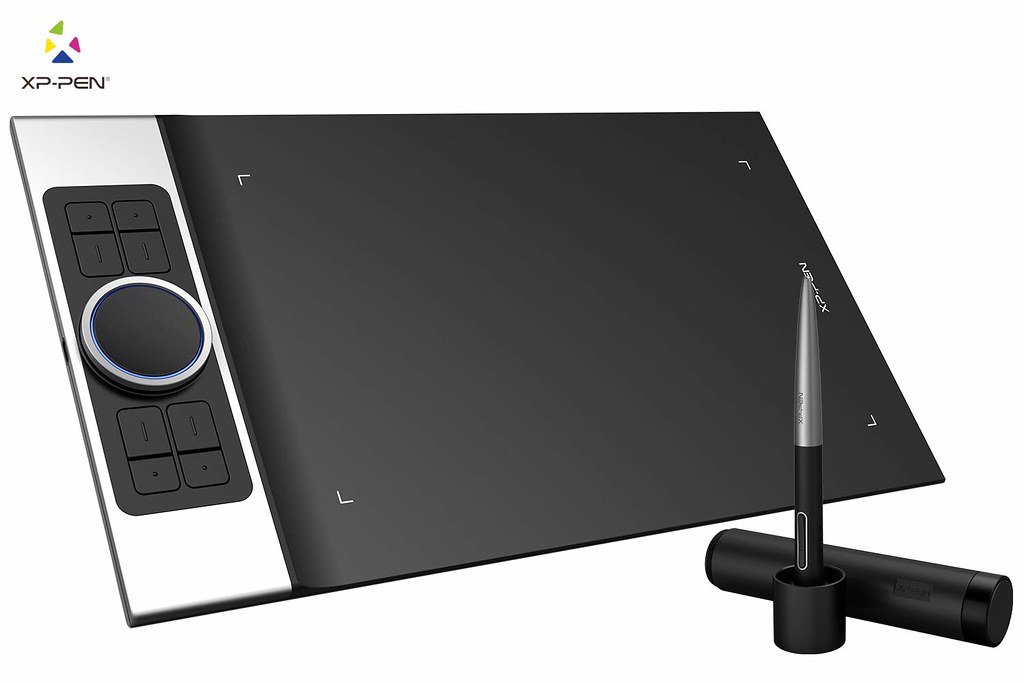
10% off XP-Pen Deco 02 Digital Art Tablet

The XP-Pen Deco 02 Graphics Drawing Tablet features a large 10 x 5.63 inch drawing area. Portable design is only 9mm thick .
Features six express keys and 1 sleek newly designed silver roller for a variety of software functions.
Includes the ability to adjust the pressure sensitivity, up to 8192 level. battery-free stylus Does not require charging.
The XP-Pen Deco 02 USB Graphics Tablet is compatible with most applications including Corel Painter, CorelDraw, Adobe Photoshop, Adobe Illustrator, 3D MAX, Autodesk MAYA, and more.
20% off XP-Pen Deco 03 Wireless graphic tablet

This might be a great choice for your powerful drawing tablet. It’s very portable, big , lightweight and full of great features.
Sufficient Compact Working Area - The large working surface of 10×5.62 inches provides users with larger space to draw, bringing users a more enjoyable working experience of the digital tablet.
Battery-free digital stylus with 8192 pressure sensitivity levels, no need for batteries and it doesn't need to be recharged. Report rate of 266 RPS, even higher than other high-end drawing tablet .
8 User-defined Shortcuts and 1 red roller wheel - The drawing tablet is convenient to set up your favorite shortcuts according to your own needs.
20% off XP-Pen Star 06 Wireless painting Tablet

large Work Area : a fair amount of drawing space, 10 x 6 inches. This drawing tablet is thin (only 10 mm) and light enough so you can carry it around your workspace.
Battery-free pen with 8192 level pressure sensitivity,Responsive and no need to charge , allowing for constant uninterrupted using.
1 Touch ring & 6 customized express Keys: touch ring make your working easily for zoom in & out, and Undo/redo etc.The 6 express keys can be customized according to your usage habits.
Wireless connectivity gives you an amazing cable-free work experience making for a tidier desktop environment at work.
Compatible with Mac and Windows. Compatible with drawing softwares such as Photoshop, Illustrator, Corel painter, Comic studio, Manga Studio ,Clip Studio etc.
10% off XP-Pen Star 05 Wireless Graphic Tablet

The Star05 features both wired and wireless USB capability: Simply plug the included USB receiver into your computer to draw wirelessly using the ISM 2.4G and FHSS, or connect to your computer with the included USB cable for standard wired use.
Built-in lithium battery charges quickly and conveniently during wired use.
2.5 hours provides a full charge that lasts up to 14 hours.
Battery-free stylus with 2048 pressure levels does not require charging.
Six touch-sensitive shortcut keys allow quick access to most commonly used functions.
8” x 5” working area provides ample room to draw and paint comfortably.
Compatible with Windows 10/8/7/Vista and Mac 10.7 or above operating systems.
Works with most currently available drawing software, such as Photoshop, Paint tool Sai, Clip Studio Paint, etc.
20% off XP-Pen Star 03 affordable Drawing Tablet

The XP-Pen Star 03 Tablet is one of the most affordable larger sized ( 10 x 6 inches ) tablets and one that is ideal for people who are just starting to use these types of devices.
Whether you are looking for an alternative to a mouse pointing device or you are interested in digital painting, drawing, or editing, this may be the right tablet for you. it is well within the price range of most consumers.
8 programmable shortcut keys, on one side, suitable for both left-handed and right-handed use, by turning the tablet around.
when it comes to sensitivity, the 8192 levels of pen pressure mean that you will be able to achieve precision every time.

Thursday, August 15, 2019

XP-Pen Graphics Drawing Tablet UK Online Shop 14th Anniversary Promo Special Sale - Save up to 40% discount deals Coupons

Digital Drawing tablets is an intuitive input device for the more creative uses of a computer .
XP-Pen, one of the largest consumer digital graphics tablet brand in the world, is celebrating its 14th anniversary.
XP-Pen Said : To all our past and current clients: Thank You for keeping us in business for 14 years.
Fourteen years ago today, XP-Pen was founded with the goal of bringing every artist into the digital age with tools and technology to suit their individual needs. We remain firmly committed to this goal and will do everything within our power to help make this happen.
Fourteen years, a reason to celebrate. But XP-Pen also wanted to share the celebration with its target group on its anniversary.
you can give a blessing , share your experiences with xp-pen in this Celebration Page - https://www.storexppen.co.uk/wall ( for UK ) , https://www.xp-pen.com/guestbook ( XP-Pen official site for global ), XP-Pen Company now offer some online Prize options for people who comments ,Such as Artist 12 Pro , XP-Pen Deco Pro . Lucky People will get the Prize , just take part it this activity.
About XP-Pen
In 2005, XP-Pen was founded in Japan and began its research and development of graphic tablets.
By 2008, we had established an office in Taiwan and made great strides in tablet technology.
In 2013, XP-Pen Technology Co. was founded in the United States and propelled us into the North American and European markets. With the goal of environmental friendliness, we began innovating with battery-free pen styluses.
XP-Pen established our newest office in Shenzhen, China, in 2015 and have since vastly expanded our presence in the Asian market.
Since its conception in 2005, XP-Pen has been dedicated to research, design, production, and marketing of digital tablets.

Anniversary Special Sale
With Amazon Prime Day, and the XP-Pen Anniversary Sale, Summer 2019 has been marked by days filled with deals and discounts. If you're on top of the sales events of the season, you surely know about the XP-Pen Anniversary Sale — the company's annual sitewide savings event, boasting some of the biggest discounts and best deals you'll see all year.
This year, the XP-Pen Anniversary Sale is running from August 16th to September 15th . At one whole months long, there is more than enough time for you to scour the site for great deals on brand digital drawing tablets, pen display monitors . up to 40% off for the drawing tablets until September 15th . you should first become a register member of the XP-Pen UK official online Store , then you can get the coupon code from this page and use it - https://www.storexppen.co.uk/coupon/index
It's a sale like no other, a limited-time opportunity to save big on brand-new arrivals—plus all the essentials. for more deals information you can visit 14th Anniversary Activity Page: https://www.storexppen.co.uk/topic/8.html such as get Free Creative Software Artrage Lite / Artrage 5 , open canvas , Receive a free pixiv Premium Account for 3 months .
Shop the XP-Pen Anniversary Sale for the latest graphics tablets and drawing monitors. Free shipping and returns at United Kingdom . this Anniversary Sale activity is Globally , just select your country or region from the top of the official store page .
Check out the surprise deals Products from the XP-Pen Anniversary Sale:
Get XP-Pen Artist 13.3 Pro Full-laminated Screen Tablet with Colorable Mascot Model gift

13.3 inch IPS Pen Display: Latest Full-laminated technology and anti-glare glass panel, effectively reduce dazzle feeling and protect your eyes when enjoy drawing. 1920x1080 HD drawing monitor paired with 178°wide viewing angle and 120% s RGB color gamut, clearly see vibrant color and every detail of your work.
Battery-free Pen: Continuously used and no need charged anymore, 8192 pen pressure levels and ±60° tilt function on tablet screen, responsive to better control cursor positioning, much more precision and no lag.
6 Express Keys and 1 red dial : red dial for canvas zooming, brush adjusting and page scrolling. Come with 3-in-1(HDMI) cable you can easily connect and play the digital graphics drawing monitor.
30% Off XP-PEN Artist 12 Pro Pen Display - Portablet advanced Drawing Tablet Monitor

Tilt Function Battery-free Stylus - Comes with 8192 levels of pen pressure with ±60 pen tilt support, allowing you to have advanced pen performance; Battery-free pen , no longer need to worry about charging.
11.6 Inches IPS screen - 120% sRGB Color Gamut presents 16.7 million colors vividly, which can greatly reduce the color difference; The dimension of the XP-Pen Artist 12 Pro is close to an A4 Sheet; Ultra thin and portable, take it to anywhere you want.
8 Press Keys and 1 Red Roller Wheel - Setting the express keys in the light of your preference, you can easily access your favorite settings and enhance your productivity; More than 200 PPS report rate provides a quick and agile feedback of the pen strokes, which is conducive to the smoothness of the lines.
Full-laminated Anti-glare Glass - With Anti-glare Technology, it effectively reduces the glare damage to human eyes and shorten the distance between the pen nib and the cursor; Making you feel like drawing on paper and offer better drawing experience.

Compatibility - XP-Pen Artist 12 Pro is compatible with Windows 7 or later and Mac OS 10.10 or later; The new generation of portable adjustable stand coming with the package, which is light and convenient to carry, and also with a sleek look; XP-Pen provides 18 Months warranty.
20% Off xp-pen artist 15.6 Pro – Best Value Drawing Tablet Monitor

XP-Pen Artist 15.6 Pro is a carry-on size drawing tablet with accurate color presentation, smooth and natural strokes and 1920*1080 resolution. This 15.6-inch fully laminated screen is designed to unleash your creativity.
With a response rate of 14ms, it responds nimbly to your pen. Thanks to advanced pressure and tilt-sensitive technology, the Battery-Free
pen will actually replicate the feel of working with not just a pen but also with markers and brushes for realistic drawings.
The Grip Pen recognizes 8192 levels of pressure. To help you work even more quickly, you are able to customize ExpressKeys that let you save the shortcuts you use most often.
As a major bonus, this does give you the option of setting the 8 available shortcut keys and 1 red roller wheel . To have this feature included in a product that is so affordable offers a lot of value.
20% Off XP-Pen Artist 22 Pro – An Affordable Huge Screen Tablet

The large 21.5″ display features 16.7 million colors and a 1920×1080 (fullhd) resolution. its Color Gamut reach up to 78%~82% .You can easily find the right angle for you, with a wide viewing angle of 178 degrees and the ability to adjust quickly.
The response is quite nimble, at 14ms. You receive two pens, featuring 8192 pressure levels to mimic a variety of drawing tools. The pen is lightweight and is covered with a thin rubber to prevent slippage.
Unfortunately, there is no tilt recognition, something that is likely to be a problem for certain kinds of artists like calligraphers.
The adjustable stand is ergonomically designed and comfortable to use no matter your preferred viewing angle.
20% Off XP-Pen Artist 15.6 - Best Budget Option Screen Drawing Tablet

It has a unique Passive Pen design that doesn't require charging but is still able to recognize 8192 levels of pressure sensitivity.
The widescreen 1920x1080 display offers a vivid picture and you get 178° degree of visual angle.
There are 6 fully customizable express keys, letting you save your favorite settings for near-instant access. This does not come with a stand, but there is a nice one available to purchase separately.
Although you don't get a stand, there are some extras included like a pen stand with extra nibs, a drawing glove, and a cleaning cloth. The tablet is ultra-thin at only 11 mm.
This is another option that will work well for lefties as well as the right-handed crowd. It also has a 3-in-1 cable design so you don't have to worry about excess cord clutter.
There is a built-in screen protector that does a decent job without compromising response time or sensitivity.
30% Off xp-pen artist 22E Pro - 21.5” Standard Size Screen with 16 hotkeys

This 21.5″ drawing tablet Monitor Artist 22E Pro from XP-Pen uses electromagnetic pressure sensitivity. It recognizes 8192 different levels of pressure sensitivity. This gives you a lot of control to draw and allows you to mimic a number of different drawing or painting tools.
The high-res LCD monitor screen is protected with tough, shock-proof and anti-scratch glass. It also helps in streamlining your graphics work as the XP-Pen Artist Series creative pen displays are meant to provide a more natural and intuitive creative experience, allowing the user to create and collaborate the work faster.
This also comes with an additional screen protector for even more protection. A 3-in-1 cleaning kit is included as well, so you can keep the screen looking great.
16 customizable shortcut keys for your artwork. Whatever the graphics usage be including drawing, sketching, painting, or photoshopping, the XP-Pen Artist 22E Pro takes it all with ease.
The stable stand is anti-skid, and allows for multi-angle positional adjustment. Stylus Response time is even better than the Wacom, at 14ms with a report rate of 220 reports/per second.
That this drawing monitor comes with two pens is a nice bonus. This allows you to keep one pen charged at all times so you never have to interrupt your sketching session.
40% Off XP-Pen Artist 16 Pro - Great Color Accuracy

A common problem with drawing monitors is that the color accuracy isn't quite equivalent to what you see on a computer screen. This tablet features 92% Adobe RGB accuracy, allowing for a more accurate color display.
The XP-Pen Adjustable Stand is quite good and lets you easily adjust to find the perfect angle. Also adding to your convenience, there are 8 customizable FastAccess Buttons to make it perfect for you.
The pen is able to recognize 8192 levels of pressure. The response time is quite fast, at 14ms.
5% Off XP-Pen Artist 12 - Most Portable Drawing Display

This low-cost option offers a lot of value. The 11.6" screen offers 1920x1080 resolution with a 16:9 display and a 178° visual angle. The wide viewing angle screen offers excellent HD resolution.
It's a good idea to keep your drawing tablet in some kind of case when transporting it.
It recognizes 8192 pressure levels .A cordless, battery-free pen is another nice feature of this tablet. The lack of a battery makes this pen really lightweight, making it feel more like a real pen in your hand.
It's easy to save shortcuts to customizable ExpressKeys, allowing you to save a lot of time. this tablet will work with many different software programs.
This graphic pad will work well with both PC and Mac computers.
20% Off XP-Pen Deco pro Android Graphics Tablet Support Pen Tilt

Two sizes for you to choose from —Medium 11 x 6 inch (278.9mm x 157.0mm) and Small 9 x 5 inch (230.76mmx 130.16mm) .
The Newly designed battery-free stylus supports 8192 levels of pressure sensitivity, 60 degrees of tilt-response.
8 customizable Express Keys and the unique double roller wheel design.
Super-slim 7mm tablet design with an aluminum casing
USB Type-C port and a user-friendly symmetric design that fits perfectly for both right- and left-handed users.
Not only compatible with Windows® 7/8/10, Mac OS X®(10.10 and above), but also works on Android (6.0 and above)
40% Off XP-Pen Deco 03 Wireless Graphic Tablet

XP-Pen Deco 03 Drawing Tablet Designed with office work in mind, this large size 10" x 5.62" tablet is wireless and sleek design ,6 hotkeys , best choice for graphic designers.
The Deco 03 Digital Art tablet connects to your PC or Mac where it works on Illustrator, Maya and other graphic design software (you'll need Windows 7 to 10 or Mac 10.10 or above).
It has a ten-meter wireless connection distance and a 2500mAh battery that lasts up to 40 hours.
The device has six customizable buttons , one Red Roller wheel and 8,192 levels of pressure sensitivity.
30% Off XP-Pen Deco 01 Best Budget Drawing Tablet

Well, if you’re just starting with digital painting and looking for a drawing tablet to hone your drawing skills, then the XP-Pen Deco 01 is probably the best in the segment in terms of features and pressure sensitivity. Yes, the XP-Pen Deco 01 can detect pressure sensitivity up to 8192 levels which is indeed a very good feature for users to draw varying width of lines and enhance their creativity.
Moreover, the active area of 10 x 6.25 inch offer enough space to draw on which lights up at night so that you can draw conveniently even in dark conditions. The Deco 01’s thickness is only 8 mm which also doesn’t weigh much making it easy for you to throw it in your backpack.
The XP-Pen Deco 01 is designed with both right and left-hand users in mind, there are basically 8 express keys on the left which help you maximize your workflow and delivering the most ergonomic and convenient platform to draw on in its segment.
The pen that comes with the package is battery-free so you don’t need to charge it as there is no way of running out of battery. However, the tablet needs to be connected to your PC or laptop via USB Type-C cable. Moreover, the quick toggle button onboard lets you switch between pen and eraser instantly.
40% Off XP-Pen Deco 02 Graphics Tablet with Large Draw area

The XP-Pen Deco 02 Graphic Tablet size is great of 10 x 5.63 inches , Tablet is very comfortable to hold, thin and lightweight Design that feels great in your hands and lap.
The P06 Pen also delivers the most accurate performance, with 8K Pressure Levels high accuracy for lag-free tracking .
Six express keys can be programmed to your liking, while a touch ring controls canvas rotation and other features.
It's compatible with Windows 7 or later (64bit) and Mac OS 10.10 or later.
30% Off xp-pen star G640 Tablet for digital Signature , play osu!

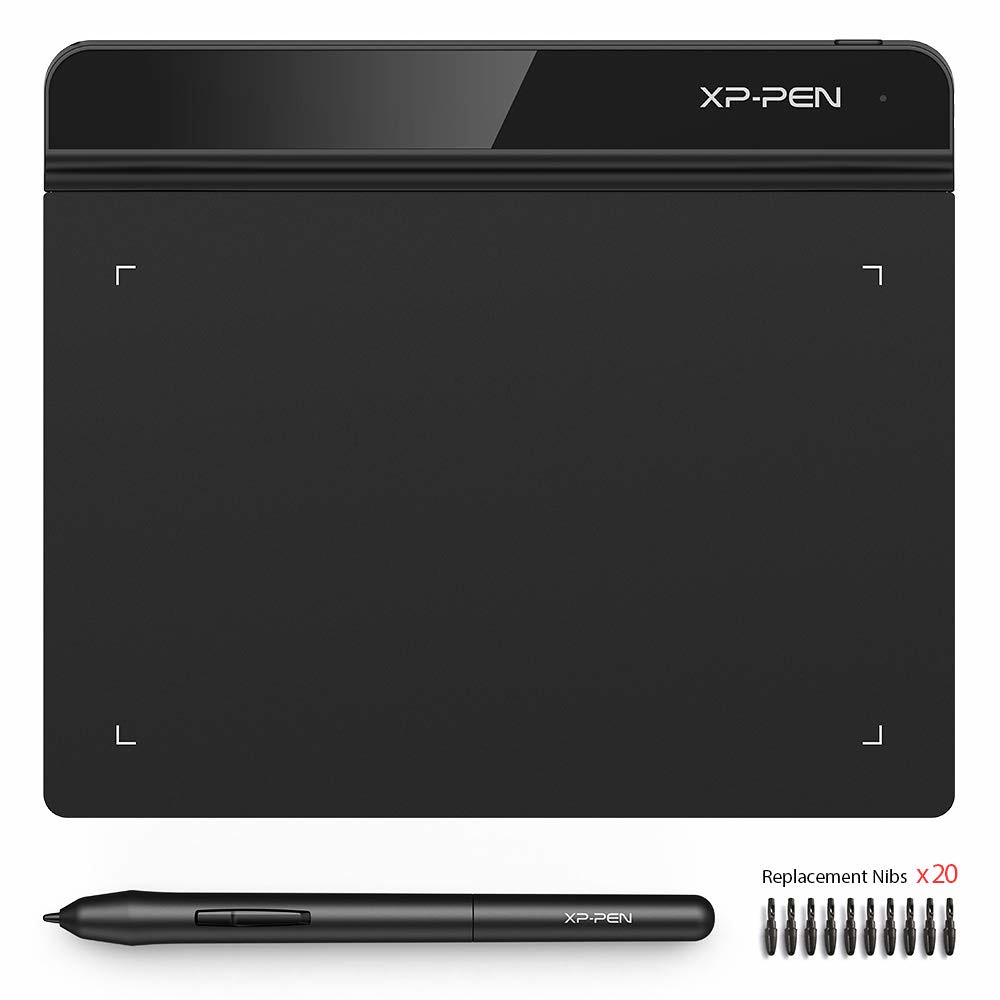
Before you plunk down hundreds of dollars on a professional tablet, get a feel for drawing with this £30 kit.
The tablet itself has an active area of 6 by 4 inches and a resolution of 5,080 lines per inch, while the pen offers 8,192 levels of pressure sensitivity, giving you precise control over brush effects and line width.
It’s compatible with all major graphics applications (think Corel Painter, CorelDraw, Adobe Photoshop, Adobe Illustrator, Adobe Fireworks and beyond) as well as most operating systems, including Windows 10 / 8 / 7, and Mac OS 10.10+.
it’s a fantastic value, complete with 10 pen nibs , USB cable, anti-fouling glove and cleaning kit.
30% Off XP-Pen Star 06 Wireless Drawing Tablet

XP-Pen Star 06 is a powerful graphics tablet which is not so high on a budget. It sports 10x 6 inches drawing area and a separated panel for gestures and 6 customizable shortcut keys for your artwork.
The pressure sensitivity of 8192 levels enables you to draw a variety of lines depending on the amount pressure you apply. More the pressure sensitivity will be, better the accuracy you will get.
The XP-Pen Star 06 drawing tablet is compatible with Windows 7 and above in Windows OS and also comes with Mac OS compatibility, making it easy to use and work with.
In terms of connectivity, it comes with 2.4GHz wireless network support, which not only makes it seamless in drawing, painting, and sketching but also makes it easy to pair with other devices through a network. As far as the battery backup on this drawing tablet is concerned about, it comes with a 2500mAh battery, which provide over 40 hours of continuous usage to draw with.
30% Off XP-Pen Star 03 affordable drawing tablet

The XP-Pen Star 03 is a great entry-level drawing tablet which is very spacious and makes it very easy for both single and double hand usage. However, the build of this tablet is the greatest when compared with its rivals.
The XP-Pen Star 03 Graphic tablet itself is very simple and easy to use. It provides you with all the essentials one would expect from a drawing tablet and provides you with an easy way to start getting more artistic and creative with your digital inputs.
The XP-Pen Star 03 graphics tablet is battery-free and works only when you connect it to a computer or a laptop. It is pressure sensitive and comes with 8192 levels of pressure sensitivity to make it easy variating thicker and thinner drawing.
It offers an active work area of 10″ x 6″ and can be used by both right and left-handed users. Star 03 Tablet offering a good set of specifications at an affordable price of £44.99 .
30% Off XP-pen Deco 01 V2 Android Graphic Tablet Support tilt function

XP-Pen Deco 01 V2 offers a 10 x 6.25-inch drawing surface that sports a 5,080 LPI drawing resolution at a report rate of 266 RPS.
There are 8,192 levels of pen pressure and tilt recognition , press down to draw thicker lines or tilt to shade.
There are 8 hotkeys that at the left of the drawing surface that will let you do as much work as possible on the surface itself without the need to move to other accessories.
It connects to the computer via USB and is compatible with basically any modern OS, and could even be modded to work on Linux.
It's compatible with Android OS 6.0 version or above , Windows 7 or later (64bit) and Mac OS 10.10 or later.
30% Off XP-Pen Star G640S V2 Android Drawing Tablet

It is ideal for Digital Drawing, Painting, Sketching, Illustrations, OSU! Gameplay, etc.
Star G640S graphic tablet features 6 x 3.75 inches of active area that fully-utilises our 8192 levels of pen pressure sensitivity. Experience even finer-tuned precision and razor-sharp accuracy.
Features 6 round customizable express keys, housed right at your fingertips for quick access to customise and optimise your workflow.
At only 9mm thick, the Star G640S drawing tablet is super slim and portable, perfect for on-the-go use.
Best-in-class 8192 level pen pressure sensitivity allows you to create variations in line width and opacity like never before, giving you a real pen-on-paper feel.
An improved Report rate of 266 RPS makes lines flow smoother and work faster.
The advanced battery-free stylus does not require charging ever, allowing for constant uninterrupted usage. Also, no batteries mean no clumsy wires and a cleaner and greener environment.
The rubberised grip on the stylus is ergonomically designed and makes for a good creative experience.
One-click toggle function on the stylus between pen/eraser improves your efficiency and speed of usage.
Easy to install and use with both MacOS (Version 10.8.x and above) and Windows (10 / 8 / 7) , compatible with Android 6.0 version and above .
Works seamlessly with all commonly used design softwares like Corel Painter, CorelDraw, Adobe Photoshop, Adobe Illustrator, Flash, etc.
Also widely used for Digital handwriting, Annotations, Pen Commander, Auto Pen Signer etc., helping you save time in a stylish way.

Friday, June 14, 2019

Graphics Art Drawing Tablets XP-Pen Father's Day festival Gift Amazon UK Discount deals Coupons 2019

Before you know, it'll be time to thank your dad for all that he's done for you. Between jump starting your car in the middle of the night and assembling all of the furniture for your new apartment and styling your hair when your mom's not around, dads do a lot for us and it's time to repay the favor.
It's never too early to start thinking about what to get your dad for Father's Day — which is Sunday, June 16 this year.
And while you're at it, don't forget to take advantage of Father's Day deals so you can treat him to lunch without breaking your bank!
We’ve gotten so many gifts from our dad since our birth. But our father might not get much from us. Father’s Day is a good chance to present our love and appreciation to him. Some quotes are great too. ‘A father’s a treasure, a brother’s a comfort, a friend is both.’—Benjamin Franklin. Remember to say ‘Happy Father’s Day, Dad!’ to him in a loud, happy voice in the morning. Few days are for us to prepare our gifts.
If you ever delved into the world of digital artists, you will know the word ‘hardworking’ is never enough to describe their effort. Not only do they have to keep improving their skills in order to triumph, the cost of the tools they need could always put them into the state of starvation (and I’m only half-joking). Art burns money. So if you have plans to help out your digital artist father, drawing tablets is the golden ticket to mastering the art of digital painting / drawing . Here have for you the xp-pen drawing tablets of Amazon united kingdom gift guide.
Enroll in XP-Pen Amazon UK Father’s Day discount plan and get an up-to-15% OFF ( Discount Codes: fathersday4 ) the original prices discount to help offset the costs of unexpected expenses during the school year. We offer student discounts on Pen Tablets, Tablet Monitors (all products of xp-pen Amazon UK). With these discounts, you’ll be able to save a good chunk of budget!
Customers who buy qualifying products from 2019 June 14th to the 18st will get correspondence discounts for their orders via the xp-pen Amazon UK ( https://www.amazon.co.uk/xp-pen ) , Please note that this Father's Day Discount Plan is designed specifically to XP-Pen Amazon UK . All of the products are FREE Delivery in the UK , you will get it in 2~3 days .
XP-Pen graphics tablets is compatible with Windows, and macOS system. To enhance its portability greatly, All of pen tanlets and portable pen display Artist 12 / 15.6 / 15.6 pro comes in a passive pen. You don’t need to charge the pen or replace a battery for it. Not only that, the pen is equipped with 8192-level pen pressure.
The mainly models below are carefully selected by XP-Pen to attend the activity this year.
Pen Tablets: Star G640 , Star 03 , Deco 01 , Deco 02 , Deco 03 ,
Tablet Monitors: Artist 12 , Artist 15.6 , Artist 15.6 Pro, Artist 16 Pro, Artist 22 Pro, Artist 22E Pro,
Star G640 Sketch OSU Graphic Design Tablet

Designed for OSU! gameplay, drawing, painting, sketching, E-signatures etc.. No need to install drivers for OSU! Designed for both right and left hand users
XP-Pen advanced Battery-free stylus does not require charging, allowing for constant uninterrupted Draw and Play
Active Area: 6 x 4 inches Fully utilizing our 8192 levels of pen pressure sensitivity_Providing you with groundbreaking control and fluidity to expand your creative output
The Report Rate of the G640 has increased to 266 RPS, making lines flow quicker and smoother, enhancing overall performance
G640 Drawing tablet Support Windows 10/8/7(32/64bit), Mac OS X version 10.10 or later. compatible with many creative software programs like Adobe Photoshop, Corel Painter, CorelDraw, SAI, Infinite Stratos, 3D MAX, Autodesk MAYA, Pixologic ZBrush and more
Star 03 best budget affordable digital drawing tablet

Battery-free Stylus Grip Pen,not require charging.
8192-level pen pressure sensitivity.
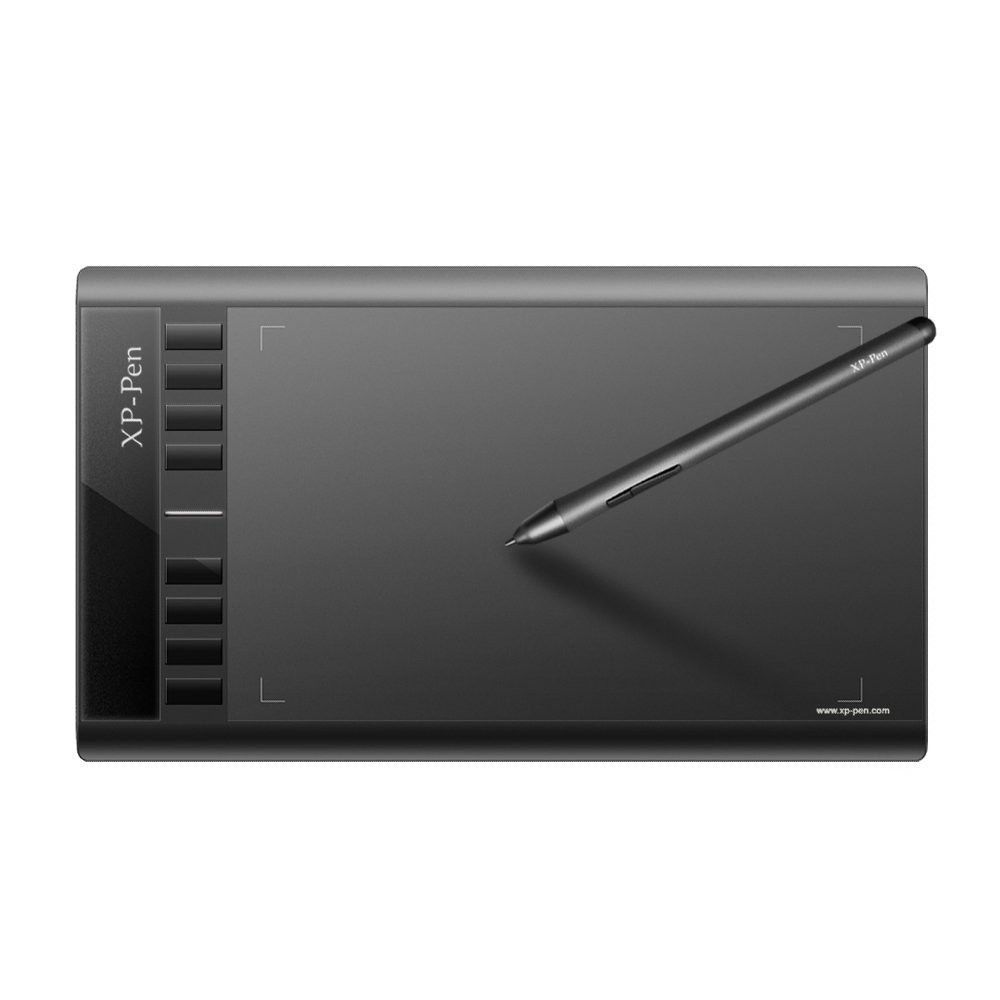
8 customizable shortcuts,10x6 inch working area.
Support Windows 10/8/7(32/64bit), Mac OS X version 10.10 or later
Compatible with most graphic applications:Photoshop,Painter,SAI,ZBrush,etc. Also widely used in handwriting,annotation of Microsoft Word,Pen Commander,Auto Pen Signer etc.
Deco 01 10x6.25 Inch Digital graphics drawing tablet

10 x 6.25 inch working area, lights up on the ends of the drawing area, so you can create, even in the dark. 8mm slim design.
8192 levels of pen pressure, Battery-free stylus needn't charging! 266 RPS Report Rate have no delay. Pen shortcuts could switch between Pen and Eraser instantly, do more drawing work
8 fully customized blind spot design express keys. Driver allows the shortcut keys to be attuned to many different drawing software.
Type-C input design, easy to plug in and out. Designed for both right and left hand artist.
Support Windows 10/8/7(32/64bit), Mac OS X version 10.10 or later, Compatible with most drawing tablet software like Photoshop, Manga Studio, Illustrator, CorelPainter, SketchBook Pro, Clip Studio, SAI, openCanvas,Fire Alpaca,Zbrush, GIMP, Krita and more.
Deco 02 10 x 5.63-inch Graphic digitizer drawing pad tablet

User friendly: XP-PEN Deco 02 is designed for both right and left hand users. Six round, customizable shortcut keys that fit easily to your finger tip for creating a highly ergonomic and convenient work platform
Improve work efficiency: The drawing tablet XP-PEN Deco 02 streamlines your workflow by its sleek newly designed silver roller with hollow mirror
Easily control: 10 x 5.63 inch working area. Perfect digital drawing pad for beginners :Easily control, yet large enough to focus on details. 9mm thick: easy portability
Stylus: A unique hexagonal design, partial transparent pen tip, and an eraser at the end. The new advanced P06 passive pen was made for a traditional pencil-like feel! With its non-slip & tack-free flexible glue grip, you will not brush it with the edge of your thumb and accidentally switch to the erase tool halfway through a drawing and have to undo. 8192 levels of pen pressure sensitivity, accelerate your every stroke for fast and fluid performance
Compatibility: The drawing tablet XP-Pen Deco 02 supports Windows 10/8/7(32/64bit), Mac OS X version 10.10 or later. Also compatible with many major designer software such as Photoshop, SAI, Painter, Illustrator, Clip Studio, and more. One year warranty for XP-Pen product.
Deco 03 10 x 5.62-inch Wireless 2.4G Graphic Art Drawing Tablet

8192 levels of pen pressure: latest P05 stylus. its report rate has increased to 266 RPS, makes lines flow smoother and perform more efficiently. Latest Multi-function Pen Holder: keep pens, pen nibs and USB receiver safer
Large Active Area: 10 x 5.62 inch working area. Standard thickness of all high level graphic tablets------- 8mm thick
Wired and wireless capability: Simply plug the included ISM 2.4G USB receiver into your computer to draw wirelessly, or connect the XP-Pen Deco 03 to your computer with the included USB cable for standard wired use. XP-Pen Deco 03 Features TYPE-C USB input design, easy to plug in and out
Designed for both right and left hand users: With A Multi-function Red Dial, you work would be more efficiently. Utilize the multi-function dial by rotating its front and side. Easy to control with no friction. 6 fully customizable shortcut keys,blind spot reduction design
XP-Pen Deco 03 Supports Windows 10/8/7(32/64bit), Mac OS X version 10.10 or later. Compatible with many drawing software programs like Photoshop, Manga Studio, CorelPainter, SketchBook Pro, Illustrator, Clip Studio, Fire Alpaca,Zbrush, openCanvas and more.
Artist 12 Beginner 11.6" Pen Display Art Tablet for Drawing

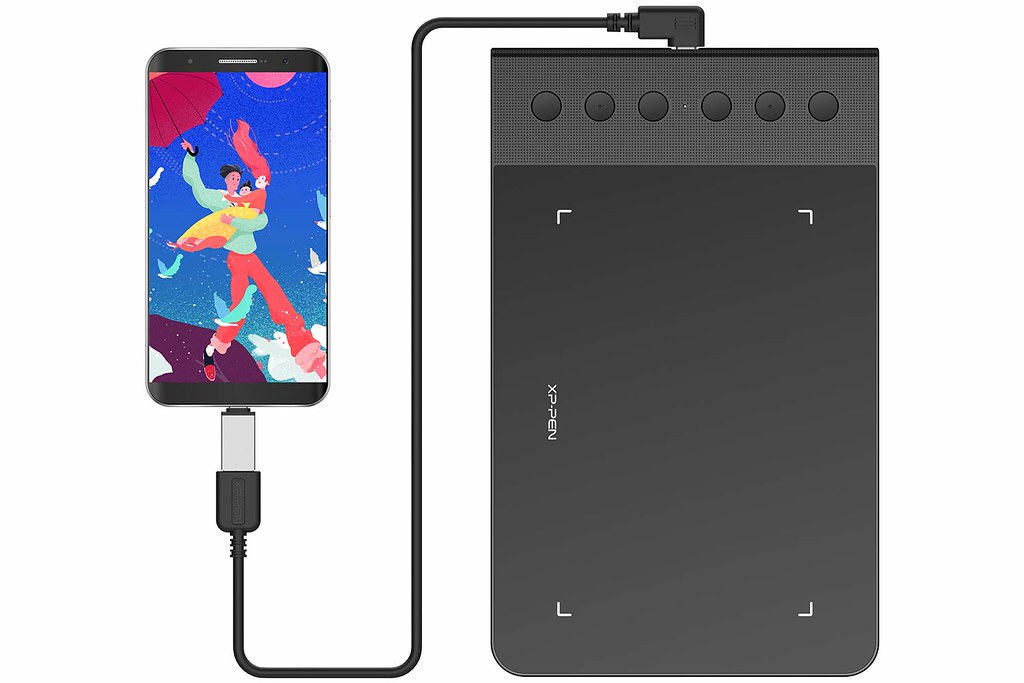
XP-Pen Artist 12 features 6 handy shortcut keys with a slim touch pad. Each shortcut key can be customized as needed to fit you preferred tool while your touch pad can be programmed to zoom in and out on your canvas, scroll up and down, and more. These customization options allow you to optimize your workflow , to create your ideas faster and more efficiently. 1920x1080 HD display resolution paired with 72% NTSC Color Gamut, presenting vivid images, vibrant colors and extreme detail
The anti-reflective coating greatly reduces glare to protect your eyes. Your screen will continue to look clear and beautiful, even if it's bright out!
XP-Pen Artist 12 support Windows 10/8/7 (32/64bit), MAC OS 10.8 and higher. Compatible with popular digital art software such as Adobe Photoshop, Illustrator, SAI, CDR and more.
XP-Pen advanced P06 passive pen is made for a traditional pencil like feel! Featuring a unique hexagonal design, non-slip & tack-free flexible glue grip, partial transparent pen tip, and an eraser at the end! Delivering technical sense, high efficiency, with a fashionable and comfortable grip! Upgraded 8192-levels of pressure sensitivity provide you precise control and accuracy at your fingertips to enhance creative performance. XP-Pen Multi-function Pen Holder. Keep your pen and pen nibs safe!
Enjoy creating directly on XP-Pen Artist 12's HD IPS display. It's ideal for drawing, photograph retouching, sketching, digital art, animation, fashion, architecture design and more! Easy setup! One year warranty for XP-PEN product.
Artist 15.6 Best Seller Pen Monitor Drawing Display Tablet

15.6" Diagonal, 1920x1080 IPS 16:9 Display with 178° degree of visual angle, portable drawing display
11mm thin design, magnesium alloy back plane, 3 in 1 cable, and a new brightness adjustment button. Type-C input design, easy to plug in and out, faster signal transmission. Super portable pen display
8192 levels of pen pressure sensitivity, Battery-free stylus needn't charging! 266 RPS Report Rate have no delay. The one-click toggle allows you to switch between Pen and Eraser instantly
6 fully customized express keys create a highly ergonomic and convenient work platform, Artist 15.6 driver support 4k extended displays.
Support Windows 10/8/7(32/64bit), Mac OS X version 10.10 or later, Compatible with major graphics tablet software like Photoshop, Manga Studio, CorelPainter, SketchBook Pro, Illustrator, Clip Studio, Fire Alpaca,Zbrush, GIMP, Krita, SAI, openCanvas and more. Contact us with your Order ID for free openCanvas7 drawing software Serial Key for Windows.
Artist 15.6 Pro Drawing Tablet with fully laminated Screen support pen tilt

Artist 15.6 Pro features 8 fully customizable shortcut keys and Red Dial which can improve work efficiency 8 shortcut keys put more customization options at your fingertips. The innovative Red Dial interface breaks through the traditional pen display design for optimal efficiency
Artist 15.6 Pro provides better working environment. The 15.6 inch full-laminated IPS Display pairs a superb color accuracy of 88% NTSC(120% sRGB ) with 178 degrees of visual angle .Comes with a replaceable anti-glare optical film
With Artist 15.6 Pro, you will enjoy a more naturally familiar drawing experience than ever before. The XP-Pen Artist 15.6 Pro supports 60 degrees of tilt function. P05R Battery-free Stylus : 8192 levels of pressure sensitivity. Suitable for both right and left hand users
Artist 15.6 Pro is easy to set up! Even for drawing beginners, Artist 15.6 Pro come with the AC 41 easy-to-use stand is built to prevent shaking or sliding and relieve eye fatigue and hand stiffness. Pull the support plate back, making it be adjusted to 90 degrees.Simply connect the Artist 15.6 Pro to your computer, you can sketch, paint, and design directly on the XP-Pen Artist 15.6 Pro's digital medium monitor surface!
Artist 15.6 Pro can work with and major graphics software such as Photoshop, Painter, Illustrator, Clip Studio, Manga Studio, ketchBook Pro, Fire Alpaca,Zbrush, GIMP, Krita, SAI, openCanvas and many more Compatible with Windows 10/8/7(32/64bit), Mac OS X version 10.10 or later.
Artist 16 Pro Professional Digital Art Drawing Tablet Monitor with 92% Adobe RGB colour space

Sketch, paint, and design directly on your monitor's surface! The sleek tablet monitor breaks down creative barriers by letting you work and draw naturally with all the advantages of a digital medium. The Artist 16 Pro driver can support 4k displays. Now you can enjoy every sharp detail.
15.6" display features 1080p resolution and an extra-wide 178°viewing angle. Compared with other graphic display, its Color Gamut reach up to 92%
P02S stylus technology provides 8192 levels of instant pen pressure sensitivity_Providing you with groundbreaking control and fluidity to expand your creative output. The Report Rate of the Artist 16 Pro has increased to 266 RPS, to make lines flow smoother and perform better, working faster and efficiently
Features 8 customizable Shortcut keys. And Latest Multi-function Pen Holder. The driver allows the short keys to be attuned to many different software
Sturdy, adjustable, ergonomically designed stand prevents shaking and sliding, providing a comfortable drawing experience. It can be took down and exchanged to 75x75 mm VESA mount.
Artist 22 Pro 21.5inch IPS Drawing Tablet Pen Display Monitor without hotkeys

---Functions such as drawing, sketching, painting, design, and editing can now be performed directly on the surface of your monitor. 21.5 inch display features 1080p resolution with 77%-82% Color Gamut and an extra-wide 178° viewing angle.
---The Artist 22 Pro driver can support 4k displays. 8192 levels pressure sensitivity stylus. Report Rate: 266 RPS. Make lines flow smoother and perform better, work faster and efficiently.
---The stand of XP-PEN Artist 22 pro can prevent shaking and sliding, which provide you a comfortable drawing environment . The stand can also be attached to a 75x75 mm vesa mount.
---Supports Windows 7/8/10 and Mac Os x 10.8.x or later. Compatible with popular digital art software such as Adobe Photoshop, Corel Painter, Comic Studio, SAI, Zbrush, Medibang Paint, Toonboom Harmony etc.
---One-Year warranty. Lifetime tech support.
Artist 22E Pro 21.5-Inch Graphics Display Tablet Monitor with 16 hotkeys

Artist22E pro IMPROVE UPON the Artist 22HD's DESIGN, with the addition of two sets of express keys-8 on the display's left side, and 8 on its right. This layout is optimized to comfortably suit both right and left-handed use
1080P FHD IPS DISPLAY improved color accuracy and an extra-wide 178° viewing angle. 4 and 9-point calibration paired with 8192 pressure levels provides unprecedented accuracy and precision in your work
ADJUSTABLE STAND: sturdy, ergonomically designed stand is slide-proof and will stay put through hours of use.
COMPATIBLE WITH Windows 10/8/7(32/64bit), Mac OS X version 10.10 or later. EASY SETUP. SUPPORT DRAWING SOFTWARE: Adobe Photoshop, Corel painter, Autodesk MAYA, Manga Studio, AutoCAD, Paint tool SAI, Sketchbook, ZBrush and more.Contact us with your Order ID for free openCanvas7 drawing software Serial Key for Windows.
DRAWING DIFFERENT on the Artist22Epro's smooth, tempered glass surface and experience a new standard of intuitiveness and efficiency. Our drawing displays are versatile and suitable for artists of any skill level or specialty.
If you have any question, please contact them . drawing tablet driver can download from xp-pen official site : https://www.xp-pen.com , deals code : fathersday4